

QlikView
Designer | Data Architect
Learn to develop QlikView applications, the classic that changed everything. Load data across systems and create limitless visualisations in the powerful interface.
More about our QlikView Trainings >Learn from trainers who teach from real project experience. Sugarcademy combines practical exercises, structured guidance and flexible attendance options for teams and individuals.
Request your training now!Our most requested courses, and the usual starting point for teams new to Qlik.
Learn to develop QlikView applications, the classic that changed everything. Load data across systems and create limitless visualisations in the powerful interface.
More about our QlikView Trainings >
Create web-based Qlik Sense analytics with drag and drop and use them on the go across all your devices. Create data models and dashboards, and learn about all the features.
More about our Qlik Sense Trainings >
Distribute your NPrinting reports as MS Office, HTML, PixelPerfect or PDF. Completely automated and secure, and the ideal addition to QlikView and Qlik Sense.
More about our NPrinting Trainings >Our trainings are hands-on and delivered by experienced trainers. If they do not train, they work in customer projects, so attendees benefit from years of practical delivery knowledge instead of theory-only material.

Small groups, real datasets and trainers who work on live projects the rest of the week. Here is what participants tell us makes the difference.
Your trainers are not only certified on all Qlik products but also as official Qlik trainers. They continuously educate themselves and can answer questions from real day-to-day work.
Your trainers also work on customer projects and always incorporate practical experience into their training, giving you a better start for your own projects.
A virtual environment is available during the training so you can start immediately to apply the training in practice, with everything prepared the way you will find it in your company.
We have been delivering official Qlik trainings to customers across Europe since 2008 and believe in lively training because better engagement produces better results.
All trainings are based on real-life scenarios. You are given tasks that correspond to your daily work, so you learn the full process from planning to implementation.
All trainings can be attended hybrid, either in person in our training room or online, using high-quality video and audio so your focus stays on the content.
All exercises and explanations from the training are available in German and English with screenshots, so you can revisit and repeat the content whenever needed.
About 80% of the training consists of practical exercises. Questions arise exactly when you do the work yourself, and you can ask your trainer directly.
Despite all modern technology, we still value a personalised training experience. Whether in Hamburg or online, the goal is that every attendee feels comfortable and welcome.
Find out which option works best for you: online, classroom or individual training at your location.

From home or from your company, all you need is a laptop and internet. We have been running online trainings for years, using established conference tools and a proven setup.
Attendees either meet in a training room or join from their workplace or home office. The model is mature and works reliably.
Request your online training now!
Sometimes it is good to be undisturbed, and our classrooms are designed to feel modern and comfortable. Join us in Hamburg and train in a dedicated learning environment.
Our training room is directly on the water and equipped with large monitors, including a Smart TV your trainer can sketch on during the session.
Request your classroom training now!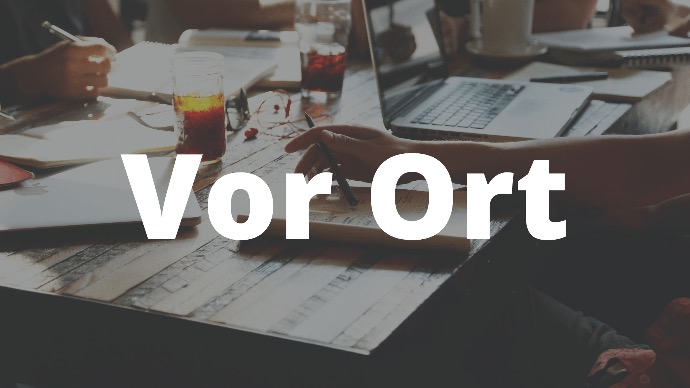
Ideal for groups from one company. A trainer can come to your company or another location of your choosing, and the content can be adapted to your needs.
This is how we have delivered customised trainings for years, combining flexibility with a practical format that works especially well for internal teams.
Request your individual training now!All online participants should use a headset. It avoids the feedback problems that often come from speaker and built-in microphone combinations.
A stable and sufficiently fast internet connection is recommended. Your instructor will send test links in good time, especially if company firewalls or ports need to be checked.
The ideal setup uses two displays: one for the virtual training environment and one for following the trainer or keeping the exercise book open.
Timely booking helps everyone prepare properly, complete connection tests and secure a seat because participant numbers are limited.
No. Participation is web based. Usually only the required standard ports need to be open.
We use separate classrooms in different sizes and typically aim for a maximum of ten participants. Rooms are equipped with large high-definition monitors or projectors.
Bringing your own laptop is best, but guest WiFi is available and we can provide a training laptop if arranged in advance.
If you need help with travel planning, we are happy to assist. It is best to arrive about one hour before the training starts.
We can recommend nearby hotels and parking options if you are travelling in from outside Hamburg.
There are excellent restaurants nearby for lunch, and our training locations always have coffee, tea, cold drinks and small snacks available.
You need a room with enough space for participants and trainer. It can be in your company or a rented meeting room, and it should be easy to air regularly.
The virtual training environment is only available online, so all participants need stable internet access. Your instructor will send connection tests in good time.
A projector or large screen should be available so the trainer can share the screen clearly. At least HD resolution is recommended.
Please book on-site trainings well in advance so that your space, our trainer’s travel and any accommodation can all be arranged properly.
Travel and accommodation for our trainer are billed separately. If you have preferred hotel rates, let us know.
Yes, this really matters.
We look forward to meeting you. Send us your contact details and we will get back to you as soon as possible.
If you need a quote for your company, we can send it promptly. We are also happy to answer questions about customised training content or workshops based on your own data.